ChatGO: AI Chatbot Assistant
- 4.1
- Rating
- 10.00M
- Installs
- Free
- Price

 Analysis by App-foxy
I spent time with ChatGO: AI Chatbot Assistant as a productivity app, and the main thing I kept coming back to was its conversational way of helping with everyday questions. Instead of searching through several pages or opening a separate tool for every small task, I could write a request in ordinary language and work from the response. That sounds simple, but it changes how useful an AI assistant feels when the job is not a single polished answer, but a quick exchange that gradually becomes more specific.
ChatGO is developed by Now Tech and is free to install, with optional in-app purchases ranging from $3.99 to $49.99 per item. It is rated for Everyone, runs on Android 7.0 and later, and its current version is 6.2.0.1. The app has reached over 10 million installs, with a 3.9 average from around 76 thousand ratings and about 1.1 thousand written reviews. Those figures suggest a widely tried app with a mixed but generally workable reception, which matches my experience: it is convenient and approachable, although the quality of the result depends heavily on how clearly I ask.
Why the conversational capability matters
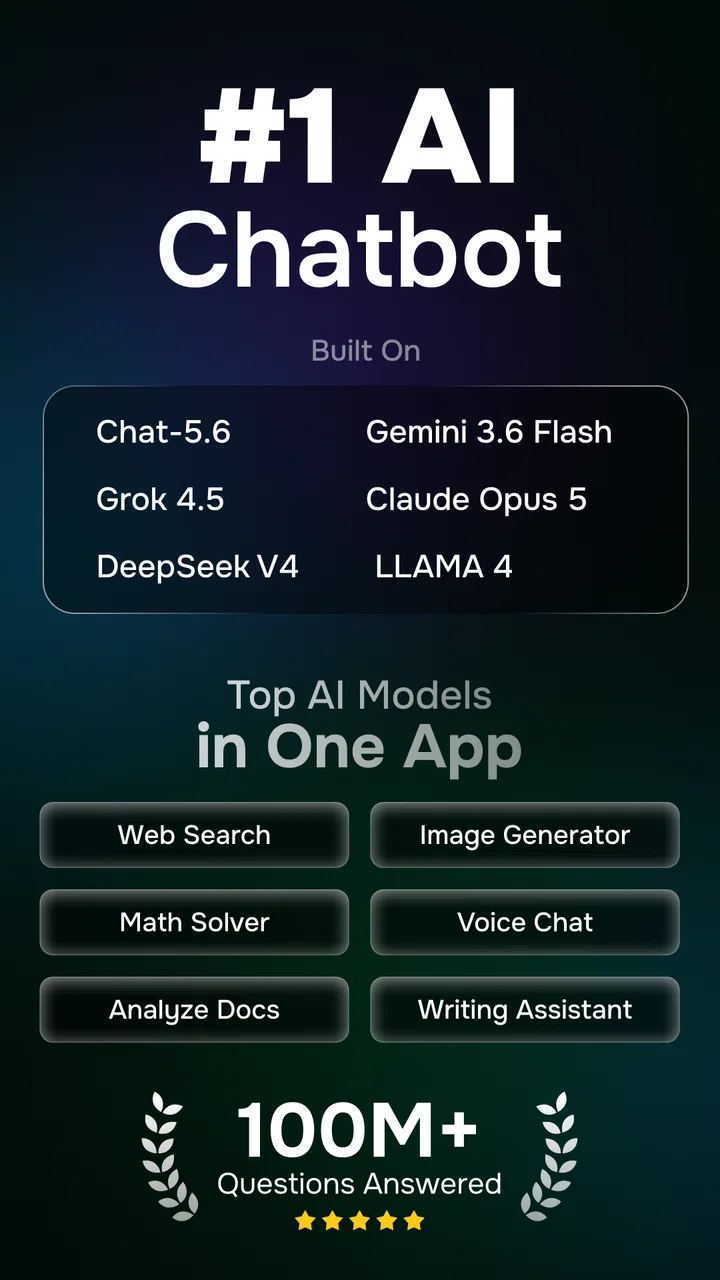
The central capability here is an AI chatbot powered by the AI Chat-5.2 models. I found the conversational format more useful than treating it as a one-question search box. A first answer often gives me a starting point, while the follow-up lets me correct the tone, narrow the subject, or ask for a more practical version. That back-and-forth is where ChatGO becomes a productivity tool rather than just a novelty.
You May Also Like

 Blood Strike: 2.5 Anniversary
Blood Strike’s Loadouts Turn Every Drop Into a Tactical Gamble
A close look at Blood Strike’s custom loadouts: how fast access to signature weapons reshapes its battle royale rhythm, rewards preparation, and narrows the gap between fights.

 Pandora - Music & Podcasts
Pandora’s Music Is Easy to Start, but Harder to Recover
Pandora’s strength is its low-effort path from a seed to a station. Its weak spot is how much confidence it asks you to place in connection, setup, and quiet recovery.

 8 Ball Pool
 Is Built on Rivalries, Rematches, and Routine
A close look at the rivalries, rematches, shared routines, and unanswered safety questions that turn a quick pool match into a persistent mobile community.

 Samsung Music
’s Quiet Strength Is Playing What You Already Own
Its reach comes less from spectacle than from dependable access to a personal library. That simplicity is both the app’s strongest retention engine and its ceiling.

 AccuWeather: Weather Radar
AccuWeather Review: A Quick, Clear Forecast for Everyday Decisions
For everyday plans, the best forecast is the one you can understand quickly. AccuWeather makes rain timing, radar, and local conditions easy to act on, with a few trade-offs.

 Hill Climb Racing
Why Hill Climb Racing Still Turns Crashes Into One More Run
A tiny car, a bumpy hill and one more upgrade: Hill Climb Racing keeps resurfacing because its simple chaos makes every near-miss feel personal.
More From Our News Desk



For example, I might begin with a request for a short message explaining that I need to reschedule an appointment. If the first version sounds too formal, I can ask for something warmer and shorter. If I then realize the message needs to work in a professional setting, I can adjust it again. The value is not that the app magically knows my exact intention; it is that I can refine the result without starting from a blank screen every time.
I also like this approach for turning rough thoughts into usable text. When I have a list of points but no clear structure, I can ask the assistant to organize them into sections, a checklist, or a compact summary. The important practical lesson is to give it the material and the purpose together. “Rewrite this” is vague. “Turn these notes into a polite update for a customer, keeping the technical details but removing repetition” gives the conversation a much better direction.
The strongest use of ChatGO is iterative thinking, not blind copy-and-paste. I get more dependable results when I treat the answer as a draft that I can inspect and improve. That habit also makes the app more useful for planning, studying, and ordinary decisions, because I remain responsible for checking whether the response actually fits the situation.
What the assistant is good at during a normal day
In daily use, I would reach for ChatGO when I need a quick explanation, a first draft, a list of possible approaches, or help breaking a large task into smaller steps. It can be helpful when I know what outcome I want but cannot find the right wording. It is also a comfortable place to ask a basic question without worrying that the question sounds too simple.
One useful workflow is to ask for two different versions of the same answer. For a work message, I might request one direct version and one friendlier version. For study notes, I could ask for a plain-language explanation followed by a short set of questions to test my understanding. Comparing alternatives is often more valuable than accepting the first answer, because it exposes wording that may be unclear or assumptions I had not noticed.
Another practical approach is to provide constraints early. I can specify the intended audience, the length, the tone, and the information that must remain unchanged. This reduces editing later. If I am preparing a short announcement, I might state that it should fit in a few sentences, avoid technical language, and end with a clear action. The more concrete the request, the less time I spend correcting a generic response.
ChatGO can also help when I am stuck between options, but I would use it as a thinking partner rather than a decision-maker. Asking it to compare choices by cost, effort, risk, and convenience can reveal a useful framework. I still need to supply accurate details and make the final choice, especially for financial, medical, legal, or other high-consequence matters. A fluent answer is not proof that the underlying advice is right.
A realistic everyday scenario
Imagine I am preparing for a busy Monday. I have scattered notes about three tasks, a message from a colleague, and a list of errands. Instead of asking for an impressive all-purpose plan, I would paste the relevant notes and ask ChatGO to separate urgent actions from items that can wait. Then I could ask for a short reply to the colleague, followed by a realistic sequence for the remaining work.
The useful part is the ability to continue from the same conversation. If the suggested schedule assumes too much time, I can say that one task must be finished before lunch and ask for a revised order. If the drafted reply sounds too casual, I can request a more professional tone without explaining the entire situation again. This makes the app particularly handy for reducing friction between thinking and doing.
There is a small but important trade-off in this scenario. The assistant may produce a neat plan that looks sensible but overlooks a real-world limit, such as travel time, a dependency between tasks, or the need to wait for someone else. I therefore use the response as a first arrangement, then check it against my actual calendar and responsibilities. ChatGO saves me from organizing a blank page; it does not replace awareness of my day.
How I get better results from each conversation
I found that the quality of the prompt matters more than trying to sound clever. A useful request usually contains four pieces: the goal, the context, the audience, and the format I want back. For instance, asking for “a concise explanation for a beginner, using a simple example and no jargon” is far more actionable than asking for an explanation alone.
When a response is almost right, I prefer targeted corrections instead of a completely new request. I can say that one point is missing, that the language is too formal, or that the answer should use numbered steps. This keeps the conversation focused. I also ask the assistant to distinguish facts from suggestions when I am using it for planning, since that makes it easier to review the result critically.
A less obvious but valuable workflow is to ask for a critique after creating a draft. I might request a check for ambiguity, repetition, unsupported claims, or an unfriendly tone. This does not guarantee a perfect review, but it gives me another perspective before I send something. For important writing, I compare the critique with my own judgment rather than assuming the app has caught every problem.
I would also avoid placing sensitive personal information into a casual request unless I am comfortable doing so. Even when an app is convenient, I can usually replace names, account details, addresses, and identifying references with neutral labels. That small habit lets me use the assistant for editing and organization without exposing more context than the task requires.
Where the experience becomes less dependable
The biggest weakness is that a confident-sounding answer can still be incomplete, outdated, or simply wrong. This matters most when I ask about current events, specialized subjects, personal health, money, or rules that change over time. ChatGO can help me understand a topic or prepare questions, but I would verify important claims through an appropriate authoritative source before acting on them.
There is also a difference between producing plausible text and understanding a complicated personal situation. If my request contains hidden priorities or missing background, the assistant may choose an interpretation that seems reasonable but does not fit me. The solution is to add context and ask it to state its assumptions. If the answer still feels too general, I would not keep rephrasing forever; sometimes a specialist tool, a human expert, or a direct source is the better option.
Another limitation is the editing burden. ChatGO can create a polished paragraph quickly, but polished wording can disguise weak reasoning. I need to check names, dates, quantities, instructions, and the exact meaning of anything I plan to share. For school or professional work, I would use it to brainstorm, outline, simplify, and revise while keeping my own judgment and original contribution visible.
The free entry point makes experimentation easy, but the optional purchases are worth considering before relying on the app heavily. I would first establish whether the free experience fits my routine, then decide whether additional paid access is justified by regular use. Someone who only wants occasional wording help may not need to spend anything, while a frequent user should think about the long-term value rather than purchasing impulsively after one impressive answer.
How it compares with familiar alternatives
Compared with a traditional search engine, ChatGO is better at turning a question into a dialogue and reshaping an answer around my follow-up. Search is usually stronger when I need a specific source, a current page, a product detail, or several viewpoints that I can inspect directly. I see the two tools as complementary: the chatbot helps me frame and simplify a problem, while search helps me verify and investigate it.
Compared with a notes app, ChatGO adds interpretation and transformation. A notes app is the safer place for storing a reliable personal record, while the chatbot is more useful for turning rough material into an outline, summary, checklist, or draft. I would not use the conversation as my only archive for important information. I would copy the final, checked result into a normal document or notes system when I need it later.
Compared with a dedicated writing assistant, ChatGO is appealing when I want a broad conversation rather than only spelling, grammar, or style corrections. A specialist editor may be preferable for consistent brand language, long documents, or detailed revision controls. ChatGO feels more flexible for mixed tasks, but that flexibility also means I have to direct it carefully and inspect the output myself.
Its accessibility is another advantage. The Everyone rating makes it suitable for a broad audience, including people who are new to AI tools and want to experiment with plain-language questions. Still, younger users should be guided toward checking answers and avoiding personal information. Easy access does not remove the need for digital judgment.
Who will gain the most from using it
I think ChatGO is a good match for students who want help turning difficult material into simpler explanations, preparing revision questions, or organizing study plans. It is also useful for busy workers who regularly write short messages, summarize notes, or need a quick starting structure for a task. People who are not confident writers may appreciate being able to describe an intention in everyday language and receive several ways to express it.
It can be especially helpful for users who enjoy refining an answer through conversation. If I am willing to ask follow-up questions, correct assumptions, and verify important details, the app becomes much more capable than its first response suggests. The real productivity gain comes from shortening the distance between an unclear idea and a workable draft.
I would be more cautious about recommending it to someone who wants guaranteed factual accuracy, source-heavy research, advanced document control, or a specialized professional workflow. In those cases, a dedicated research platform, office application, or qualified adviser may serve better. ChatGO is not the right choice simply because it can discuss almost anything; broad capability is not the same as expert authority.
My final take after using the app
ChatGO: AI Chatbot Assistant works best when I use it as a responsive first partner for thinking, drafting, and organizing. Its AI Chat-5.2 foundation gives the conversation enough flexibility for ordinary productivity tasks, and the ability to refine a response is more valuable than a single polished reply. I especially like it for quick messages, explanations, outlines, and turning scattered notes into a practical next step.
At the same time, I would not hand it an important decision and accept the result without checking. The app can sound certain when the request is ambiguous or the subject needs current, specialized knowledge. My advice is to give clear context, request a specific format, ask for revisions, and verify anything consequential. Used that way, the free app is easy to try and genuinely useful for many everyday situations, while the optional purchases deserve a deliberate decision based on how often the assistant becomes part of your routine.
For me, the deciding question is not whether ChatGO can answer a question. It is whether I am prepared to have a short conversation with it and remain involved in the result. If the answer is yes, it can make small productivity tasks noticeably easier. If I need authoritative sources, strict privacy handling, or specialist controls first, I would choose a more focused alternative instead.
FAQs for ChatGO: AI Chatbot Assistant
01What features does ChatGO: AI Chatbot Assistant offer?
ChatGO provides a range of features designed to make communication more efficient. Users can enjoy real-time messaging, voice interactions, and personalized responses powered by AI. The app also supports multiple languages, integrates with other apps, and offers customizable themes and settings to enhance user experience.
02Is ChatGO: AI Chatbot Assistant secure for personal information?
Yes, ChatGO prioritizes user privacy and security. The app employs end-to-end encryption to protect conversations and personal data. It also includes features for managing data permissions and offers regular updates to address any security vulnerabilities, ensuring that your information remains safe.
03Can ChatGO assist with professional tasks?
Absolutely! ChatGO is equipped to handle various professional tasks. It can schedule meetings, set reminders, and manage contacts efficiently. The AI can also draft emails, provide quick information retrieval, and even assist with basic project management, making it a valuable tool for productivity.
04How user-friendly is ChatGO for beginners?
ChatGO is designed with user-friendliness in mind, featuring an intuitive interface that is easy for beginners to navigate. The app includes a helpful tutorial for new users and offers customer support to address any issues. Its design ensures that users of all technical levels can operate it without difficulty.
05What are the pros and cons of using ChatGO: AI Chatbot Assistant?
Pros include a versatile AI that enhances communication, strong security features, and extensive language support. However, some users may find the app requires a stable internet connection for optimal performance, and there might be a learning curve for those unfamiliar with AI-driven applications.
Pros
- Intuitive user interface design.
- Supports multiple languages fluently.
- Quick response time for queries.
- Customizable chatbot personalities.
- Integrates with other apps easily.
Cons
- Limited offline functionality.
- Occasional minor bugs.
- Requires a stable internet connection.
- Subscription needed for premium features.
- May use significant battery power.

ChatGO: AI Chatbot Assistant
Gallery